How Smart Speakers Actually Work
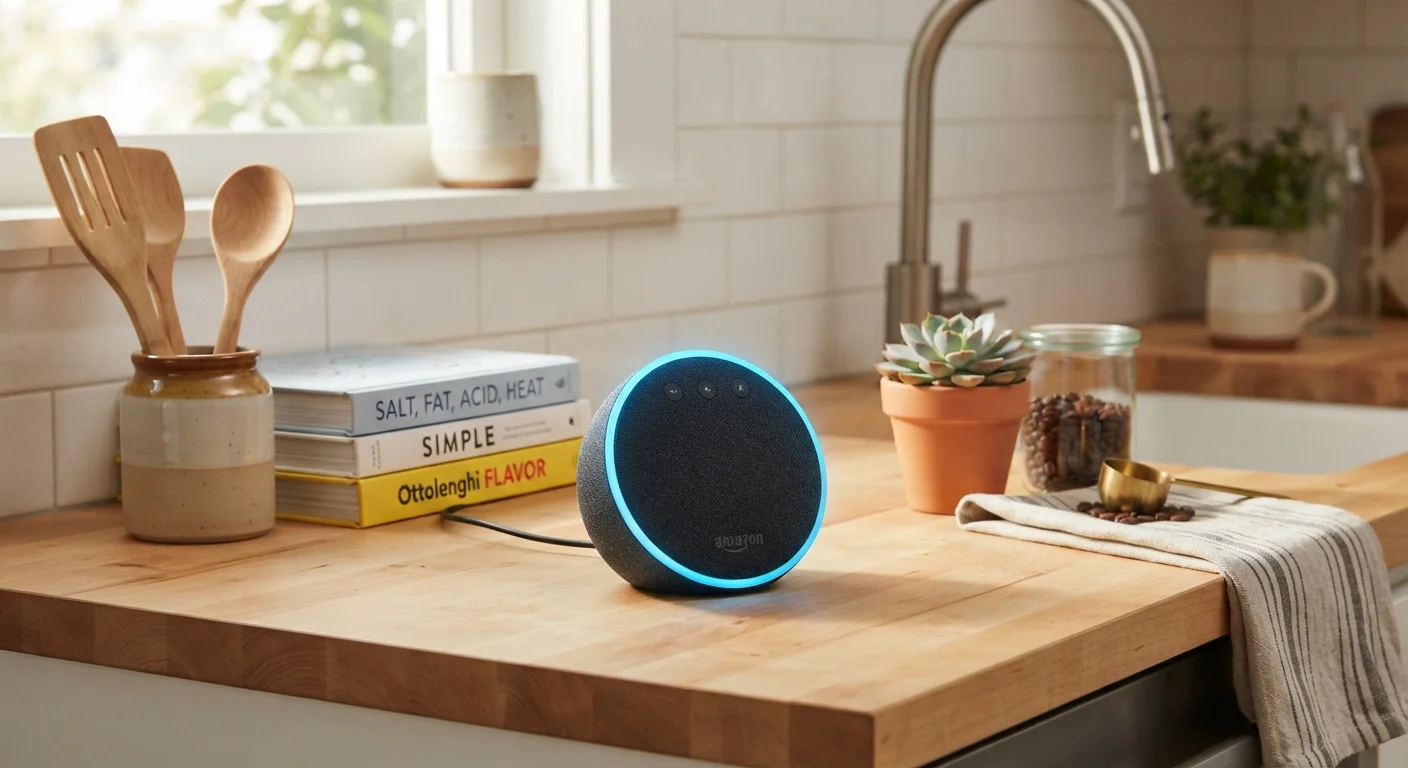
Smart speakers sit in a state of low-power listening at all times, waiting for a specific trigger phrase - commonly called a wake word (such as "Hey "). Until that phrase is detected, the device is designed to process audio only on-device and discard it. Once the wake word is recognized, the speaker begins recording and transmits the audio clip to the manufacturer's cloud servers, where it is interpreted and a response is generated.
That cloud dependency is important to understand: without an internet connection, most smart speakers lose nearly all of their useful functionality. The heavy computational work of understanding natural language happens remotely, not inside the small device on your shelf.
Cloud Processing Is the Norm, Not the Exception
Even devices marketed with on-device processing still rely on cloud servers for most complex requests. "On-device" processing typically refers only to wake-word detection, not to full command interpretation. This distinction matters when evaluating privacy claims made in product marketing.
Detection accuracy varies. Background noise, similar-sounding words, or overlapping conversations can occasionally trigger the wake word unintentionally - a known limitation across all major platforms, not a flaw unique to any one device.
Voice Assistants and Skills: What They Can Do
The built-in voice assistant is the software layer that interprets your requests and carries out tasks - playing music, setting timers, answering general knowledge questions, or controlling compatible smart-home devices. Out of the box, the assistant handles a wide range of everyday requests using the manufacturer's own services.
Skills (sometimes called Actions or shortcuts, depending on the platform) are third-party mini-applications that extend what your assistant can do. A cooking skill might walk you through a recipe step by step - a useful pairing with resources like the Cooking Skills hub. A news skill might read headlines from your preferred outlet. A productivity skill might connect to your calendar.
Before enabling any new skill, look up its developer name and read its stated privacy policy - not the platform's policy, but the skill developer's own terms.
Third-party skill developers operate under separate data agreements from the main platform, so your data may be handled very differently once a skill is activated.
Set a recurring reminder - quarterly works well - to open your smart speaker app, review stored recordings, and delete anything you don't want retained.
Most users set privacy preferences once and forget them; periodic review catches permissions that may have reset or expanded after a software update.
Adding skills is similar in concept to installing apps on a phone. Each skill is published by a third-party developer, and enabling one typically grants that developer access to your voice request data for that interaction. Review the skill's stated permissions before enabling it, just as you would with any app - a practice explored more fully in our guide on what app permissions actually access.
What Data Smart Speakers Collect
When you speak to a smart speaker, the audio clip sent to the cloud typically includes a short buffer of audio before the wake word. Manufacturers use this data to improve speech recognition - and historically, some have employed human reviewers to listen to samples of recordings to validate accuracy.
~35%
U.S. adults who own a smart speaker
According to Pew Research Center survey data, roughly one-third of American adults report owning a smart speaker.
Thousands
Third-party skills available per platform
Major smart speaker ecosystems host thousands of third-party skills, each published by independent developers with their own data practices.
Beyond audio recordings, smart speakers may collect:
- Usage patterns - which commands you issue most often and at what times
- Device interaction data - which smart-home devices you control and how often
- Account-linked data - shopping history, calendar events, or music preferences if you connect third-party accounts
This data is governed by each manufacturer's privacy policy, which can be lengthy and subject to change. For a broader look at how personal data flows through connected services, see our overview on protecting personal information online.
False Wake-Word Triggers Are a Real Risk
Studies and manufacturer disclosures have confirmed that smart speakers occasionally activate without the user saying the wake word. If you discuss sensitive financial, health, or personal information near a device, be aware that an accidental trigger could capture part of that conversation. Using the physical mute button during sensitive discussions is the most reliable safeguard.
Privacy Settings Worth Enabling Right Now
Every major smart speaker platform offers a privacy dashboard - either in a companion app or a web portal - where you can review and delete stored recordings, limit whether your audio is used for product improvement, and adjust how long data is retained.
Key settings to check on any platform:
- Delete voice history - Most apps let you remove individual recordings or bulk-delete by date range. Some platforms support auto-deletion on a rolling 3- or 18-month schedule.
- Opt out of human review - You can typically disable the option that allows staff to review audio samples. This is usually buried in settings rather than presented upfront.
- Disable purchase capabilities - If you don't use voice shopping, turning it off removes a vector for accidental or unauthorized orders.
- Review connected accounts - Periodically audit which third-party services are linked to your assistant and remove any you no longer use.
These choices sit alongside the broader permission decisions you make across your devices - a topic covered in depth in understanding app and website permissions.
Factory Reset Before Reselling or Discarding
If you sell, donate, or dispose of a smart speaker, perform a factory reset first. A reset removes your account linkage and stored Wi-Fi credentials from the device. Check the manufacturer's support page for model-specific reset instructions, as the process varies.
Getting More Value Without Giving Up More Privacy
Using a smart speaker thoughtfully is less about choosing between utility and privacy and more about making deliberate trade-offs you actually understand. A few practical approaches:
- Placement matters. Avoid putting smart speakers in bedrooms or rooms where sensitive conversations are common. A kitchen or living room is a lower-risk location than a home office or bathroom.
- Use the physical mute button. Every smart speaker includes a hardware microphone mute that disconnects the mic at the circuit level - not just in software. When you genuinely don't want the device listening, the mute button is more reliable than any setting.
- Limit skill sprawl. Enable only the skills you actively use and disable any you've stopped using. Fewer enabled skills means fewer third-party data touchpoints.
- Treat linked accounts carefully. Connecting a shopping account or email amplifies both convenience and exposure. Connect only accounts whose data you'd be comfortable sharing with the platform.
Some of the same habits that create invisible risk in other digital contexts - like over-sharing permissions or ignoring connected accounts - apply directly here. Our article on digital habits that quietly expand your exposure covers those patterns in detail.
This article is for general informational purposes only. Technology platforms and their privacy policies change frequently; always review current settings and terms directly within your device's companion app or manufacturer's support pages.