How Phishing Actually Works
At its core, phishing is an impersonation con delivered digitally. An attacker crafts a message that mimics a source you trust - your bank, a government agency, a delivery service, even a colleague - and engineers a reason for you to act quickly. That action is the trap: clicking a link, downloading an attachment, or typing credentials into a fake website.
The mechanics follow a reliable pattern. First, the attacker builds or rents infrastructure: a spoofed email address, a lookalike domain, and a cloned login page. Then they distribute the message broadly, relying on volume to find victims. Even a 1% response rate across tens of thousands of emails translates into a profitable haul of stolen data.
What makes phishing durable as an attack method is its low cost and high scalability. Attackers don't need to break through technical defenses when they can simply ask you to hand over the keys. For a deeper look at why these tactics remain so effective against even skeptical people, see why phishing still fools smart people.
3.4B
Phishing emails sent daily worldwide
Estimates from cybersecurity researchers suggest billions of phishing emails circulate each day, making it one of the most prevalent forms of cybercrime globally.
36%
Share of data breaches involving phishing
According to Verizon's Data Breach Investigations Report, phishing is consistently implicated in roughly a third of confirmed data breaches across industries.
$10.3B
Losses from internet crime reported to the FBI
The FBI's Internet Crime Complaint Center (IC3) 2022 annual report recorded over $10 billion in losses from internet crime, with phishing among the most-reported categories.
The Major Varieties You'll Encounter
Phishing is not a single tactic - it's a category with several distinct variants, each calibrated to a different channel or target.
- Email phishing: The classic form. Mass messages impersonating recognizable institutions, often with generic greetings like 'Dear Customer.'
- Spear phishing: A targeted version where attackers research a specific person or organization. They may use your real name, employer, or recent transaction details to build credibility. This is the form most often used in corporate data breaches.
- Smishing: Phishing via SMS text message, frequently impersonating shipping companies or banks.
- Vishing: Voice phishing conducted over phone calls, where a caller poses as a bank fraud department or government agency.
- Clone phishing: A real, previously delivered email is duplicated with malicious links swapped in, then re-sent as if it's a follow-up from a legitimate sender.
Understanding that phishing extends well beyond email is important - the same psychological playbook applies regardless of the channel. The broader mechanics of how these manipulations are constructed is explored in our guide to social engineering tactics.
The Warning Signals Worth Knowing
Phishing messages are engineered to lower your guard, but they consistently leave identifiable traces. Learning to recognize these signals is a practical, durable defense.
Check the sender address carefully
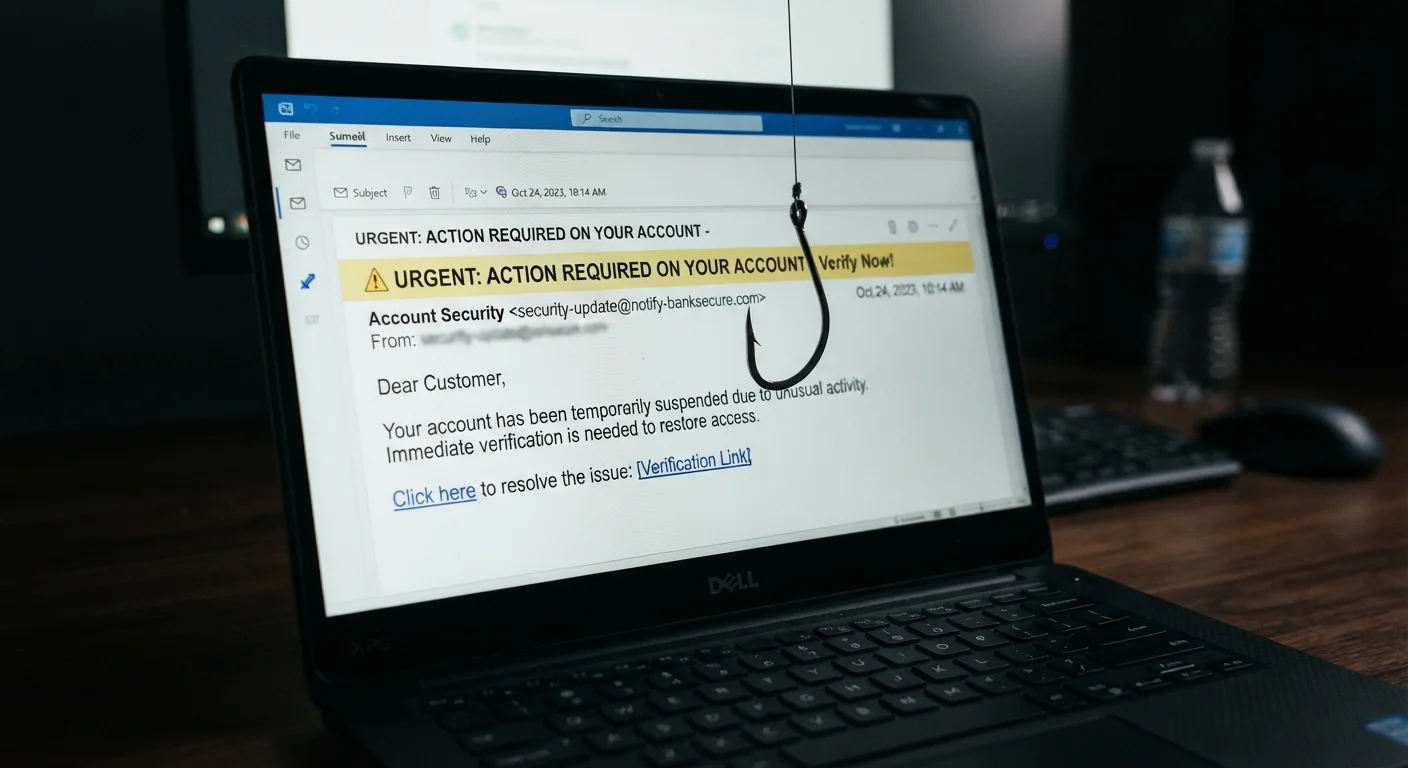
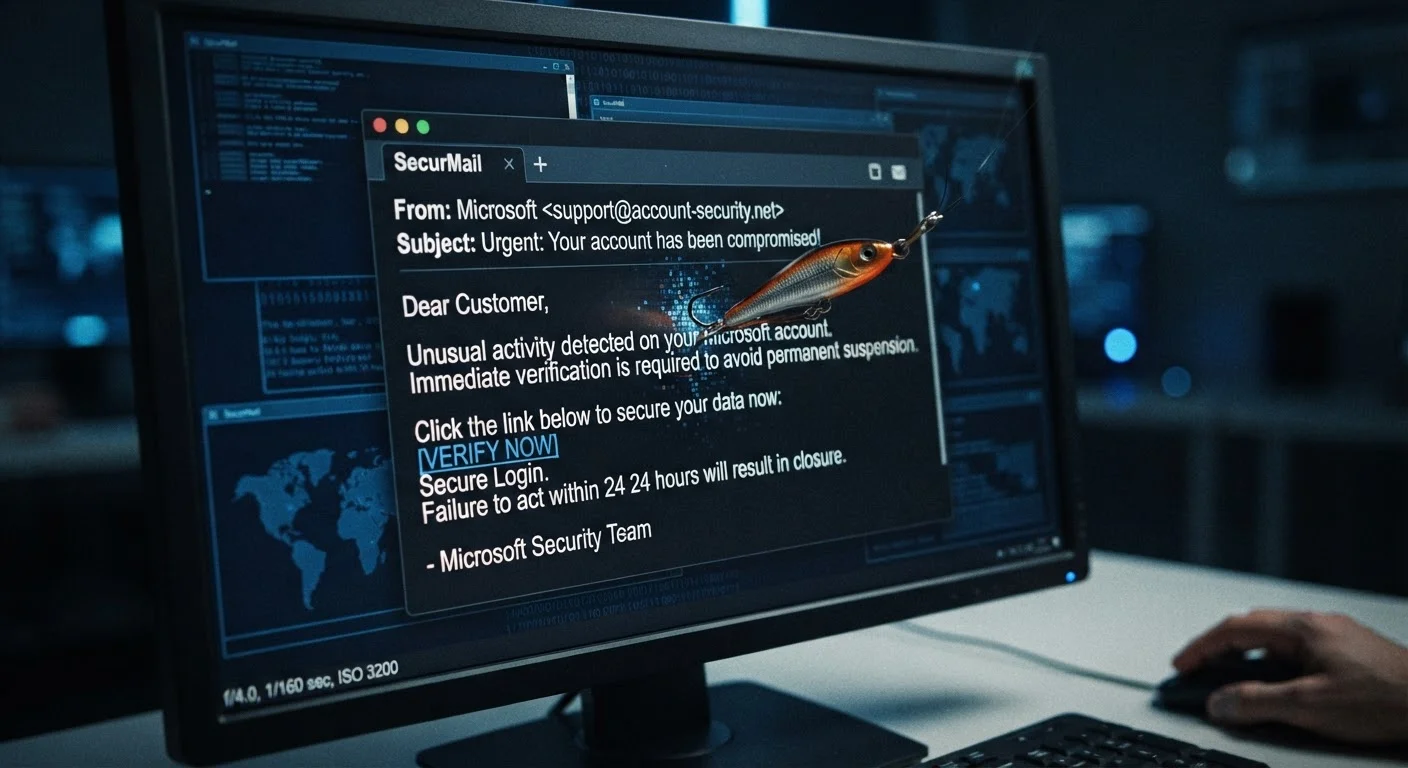
The display name on an email can say anything - what matters is the actual sending address. A message appearing to come from 'Chase Bank Support' may originate from an address like support@chase-secure-alert.net. Hover over or tap the sender name to reveal the true address, and look for slight misspellings or unusual domain extensions.
Scrutinize links before clicking
On a desktop, hovering over a hyperlink reveals its true destination in the browser's status bar. On mobile, press and hold the link. Compare the displayed URL against the organization's known web address. Pay particular attention to the domain itself - everything after 'https://' and before the first single slash is the actual destination.
Resist manufactured urgency
Messages that demand you act within hours to avoid account suspension, a fine, or a missed package are using emotional pressure as a bypass mechanism. Legitimate organizations rarely require immediate action through a link in an unsolicited message. Slow down when an email rushes you.
Verify through an independent channel
If a message appears to be from your bank or a government agency and requests any action, contact that organization directly using a phone number or website you look up yourself - not the one provided in the message. This single habit neutralizes most phishing attempts.
Use a Password Manager as a Phishing Defense
Password managers auto-fill credentials only on the exact domain they were saved for. If you land on a lookalike phishing site, your password manager will not offer to fill in your details - giving you a practical, automatic signal that something is wrong. This is a meaningful secondary benefit of using one beyond simple convenience.
For a comprehensive breakdown of inbox red flags, see our field guide to suspicious emails. And if you want to understand the structural patterns common to all scam types, the anatomy of a scam is a useful companion read.